Best Free Forex Indicators for MT4: Curated Download List + 600 Pack
Free MT4 Indicators You Can Download
Custom indicators are one of the main reasons traders use MetaTrader 4. Beyond the tools that ship with the platform, thousands of community-built indicators help you read trends, spot reversals and filter noise. This page collects the free indicator downloads on Be4TradingForex in one place: eight individual MT4 indicators, a pack of 616 indicators and Expert Advisors, and links to the trading systems that come with their own indicator files.
On MetaTrader 5? MT4 files do not run on MT5. Get our original free MT5 indicators and EAs (trailing stop EA, sessions, pivots, position size panel, trend alerts), and see MT4 vs MT5.
Each indicator has a short explanation, then you will find ways to combine them, a worked example and a section on risk management. No indicator is a crystal ball: they organise information that is already on the chart. Test every file on a demo account before you use it with real money.
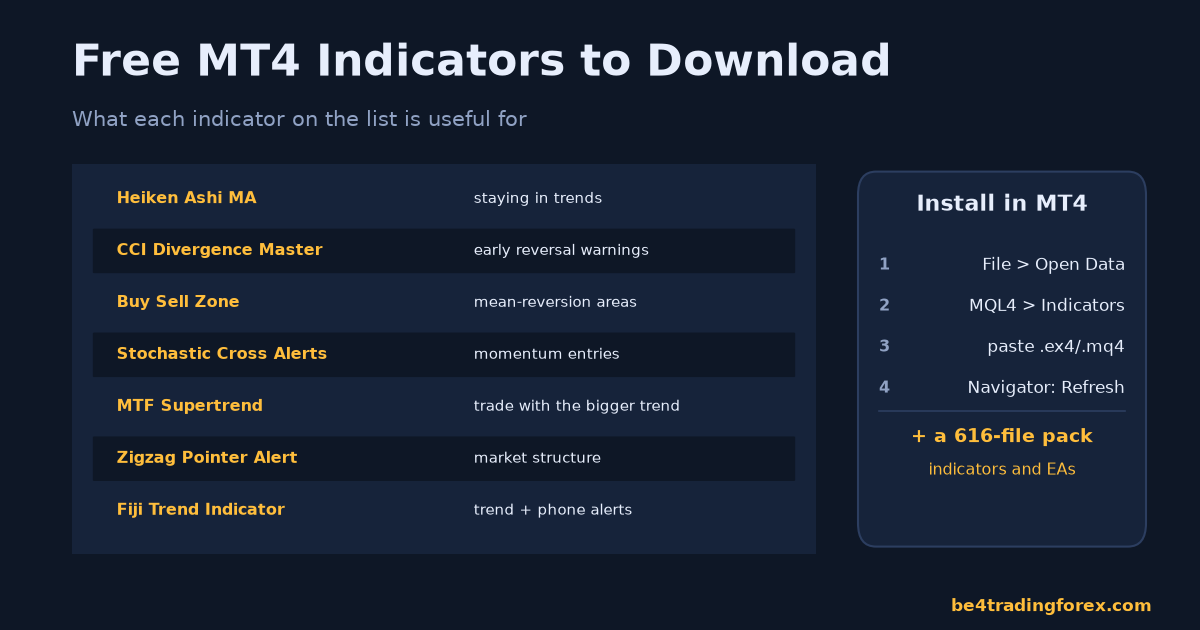
Quick Picks: Which Indicator Does What
| Indicator | What it shows | Useful for | Download |
|---|---|---|---|
| Heiken Ashi MA | Smoothed candles plus a moving average | Staying in trends | Free download |
| CCI Divergence Master | Divergence between price and the CCI | Early reversal warnings | Free download |
| Buy Sell Zone | Bollinger-based stretched zones | Mean-reversion areas | Free download |
| Stochastic Cross Alerts | Stochastic crossovers on the price chart, with alerts | Momentum entries | Free download |
| MTF Supertrend | Higher-timeframe Supertrend on your chart | Trading with the bigger trend | Free download |
| Advanced Trendlines | Automatic trendlines | Faster chart markup | Free download |
| Zigzag Pointer Alert | Swing highs and lows, with alerts | Market structure | Free download |
| WolfeWave | Wolfe Wave patterns | Reversal targets | Free download |
| Fiji Trend Indicator | Trend direction with pop-up and phone alerts | Trend following | Download page |
| 600 Indicators and EA Pack | 616 MT4 indicators and Expert Advisors | Exploring many tools | Free download |
The Indicators on This List
Each of these MetaTrader indicators serves a different analytical purpose. Understanding what a tool is designed to measure is the first step to using it well.
- Heiken Ashi MA – A smoothed version of Heiken Ashi candles combined with a moving average. It filters out short-term noise and makes prevailing trends easier to read, which helps you stay in a move longer instead of exiting on every small pullback.
- CCI Divergence Master – Automatically highlights divergences between price and the Commodity Channel Index. Divergence often warns that momentum is fading before price actually reverses, making this a useful early-warning tool.
- Buy Sell Zone (BB Buy/Sell Zone) – Built on Bollinger Band logic, it shades zones where price is statistically stretched. It’s handy for spotting potential mean-reversion areas or overextended moves.
- Stochastic Cross Alerts – Overlays Stochastic crossovers directly on the chart and sends alerts, so you don’t have to stare at the oscillator window all day waiting for a signal.
- MTF Supertrend – A multi-timeframe version of the popular Supertrend indicator. It plots trend direction from higher timeframes onto your working chart, helping you trade in the direction of the larger trend.
- Advanced Trendlines – Draws dynamic trendlines automatically, saving time and reducing the subjectivity of manual line-drawing.
- ZigZag Pointer Alert – Marks significant swing highs and lows and alerts only at turning points, which is excellent for identifying market structure and potential entry areas.
- WolfeWave – Detects Wolfe Wave patterns, a specific price structure that some traders use to anticipate reversals and price targets.
How to Install a MetaTrader Indicator
All of these indicators come in .rar archives containing .ex4 (compiled) and sometimes .mq4 (source) files. Installing them is straightforward:
- Extract the downloaded .rar file using a tool like WinRAR or 7-Zip.
- Open MetaTrader and go to File → Open Data Folder.
- Navigate to MQL4 → Indicators (or MQL5 for MT5) and copy the indicator files there.
- Restart MetaTrader or right-click the Navigator panel and choose Refresh.
- Drag the indicator onto your chart and adjust its inputs in the settings window.
Safety tip: Only run indicators from sources you trust, and be cautious with files that ask for account credentials or DLL imports. Test everything on a demo account first.
Combining Indicators the Smart Way
The most common mistake beginners make is stacking six oscillators that all measure the same thing, then wondering why the chart is a cluttered mess. A better approach is to combine tools that answer different questions:
- Trend direction: MTF Supertrend or Heiken Ashi MA tell you which way the market is leaning.
- Timing / momentum: Stochastic Cross Alerts or CCI Divergence Master help you time your entry.
- Structure / levels: ZigZag Pointer Alert and Advanced Trendlines show where key swing points and support/resistance sit.
When a trend tool, a momentum tool, and a structural level all point in the same direction, your probability of a quality trade improves. This concept of “confluence” is far more reliable than acting on any single flashing arrow.
A Practical Trading Example
Let’s walk through a realistic scenario on EUR/USD on the H1 chart:
- Step 1 – Bias: The MTF Supertrend shows the H4 trend is bullish, so we only look for buy setups.
- Step 2 – Structure: The ZigZag Pointer Alert marks a fresh higher low, confirming the uptrend structure is intact.
- Step 3 – Timing: Price pulls back into the lower Buy Sell Zone, and the Stochastic Cross Alert fires a bullish crossover. Meanwhile, CCI Divergence Master flags a bullish divergence.
- Step 4 – Execution: We enter long, placing a stop just below the recent ZigZag swing low and targeting the prior swing high, aiming for at least a 2:1 reward-to-risk ratio.
Notice that no indicator acted alone. Each confirmed the others, and price structure defined our stop and target. This is exactly how these tools are meant to work together.
Risk Management: The Part That Actually Keeps You in the Game
Indicators improve your decision-making, but risk management keeps your account alive. Even the best signal will fail regularly, so protect yourself:
- Risk a fixed small percentage per trade — many professionals use 1% or less of account equity.
- Always use a stop-loss placed at a level that invalidates your trade idea, not at a random distance.
- Aim for positive reward-to-risk ratios so that you can be profitable even with a modest win rate.
- Avoid over-optimizing: tweaking indicator settings until they look perfect on past data usually fails in live markets.
- Beware of lag: smoothed indicators like Heiken Ashi MA look beautiful in hindsight but confirm moves after they begin. Factor that delay into your entries.
- Test on demo first: run any new indicator for several weeks on a demo account before risking real money.
Download the Indicators
Enter your name and email once to unlock the downloads, including the 600-indicator pack below. Each archive contains the MetaTrader 4 indicator file; copy it into MQL4/Indicators and restart MetaTrader.
Heiken Ashi MA
Enter your name and email to download this content.
By downloading you agree to receive our free MT4 starter course and occasional trading tips by email. Unsubscribe anytime. Privacy Policy

CCI Divergence Master
Enter your name and email to download this content.
By downloading you agree to receive our free MT4 starter course and occasional trading tips by email. Unsubscribe anytime. Privacy Policy
Buy Sell Zone
Enter your name and email to download this content.
By downloading you agree to receive our free MT4 starter course and occasional trading tips by email. Unsubscribe anytime. Privacy Policy
Stochastic Cross Alerts
Enter your name and email to download this content.
By downloading you agree to receive our free MT4 starter course and occasional trading tips by email. Unsubscribe anytime. Privacy Policy
MTF Supertrend
Enter your name and email to download this content.
By downloading you agree to receive our free MT4 starter course and occasional trading tips by email. Unsubscribe anytime. Privacy Policy
Advanced Trendlines
Enter your name and email to download this content.
By downloading you agree to receive our free MT4 starter course and occasional trading tips by email. Unsubscribe anytime. Privacy Policy
Zigzag Pointer Alert
Enter your name and email to download this content.
By downloading you agree to receive our free MT4 starter course and occasional trading tips by email. Unsubscribe anytime. Privacy Policy
WolfeWave
Enter your name and email to download this content.
By downloading you agree to receive our free MT4 starter course and occasional trading tips by email. Unsubscribe anytime. Privacy Policy
600 MT4 Indicators and EA Pack
The pack contains 616 MetaTrader 4 source files (.mq4): indicators and Expert Advisors collected from free trading forums. They are shared as-is and have not been individually tested, so test every file on a demo account before using it with real money. Copy indicators into MQL4/Indicators and robots into MQL4/Experts; MetaTrader compiles .mq4 files when it restarts.
Enter your name and email to download this content.
By downloading you agree to receive our free MT4 starter course and occasional trading tips by email. Unsubscribe anytime. Privacy Policy
What the pack covers:
- Trend indicators: Moving averages, trend lines, channels, and Ichimoku-style tools that help you identify market direction.
- Momentum and oscillators: RSI, Stochastic, CCI, and MACD variations that measure the speed and strength of price movement.
- Volatility tools: ATR-based indicators, Bollinger Bands, and volatility filters used for stop-loss placement and breakout timing.
- Signal and arrow indicators: Tools that print buy/sell arrows based on their internal logic.
- Dashboards and scanners: Multi-pair, multi-timeframe panels that let you monitor dozens of instruments from one screen.
- Expert Advisors: Automated systems for scalping, trend-following, grid trading, and hedging.
More Free Downloads on Be4TradingForex
These pages explain a complete trading system and include its indicator files and templates as a free download:
- Fiji Trend Indicator MT4 with alerts
- 5 Minute Intraday Trading System
- Action Trade Trading System
- Keltner Scalping Trading System
- Kevinator Retracement Trading System
- Isakas Sekelper Trading System
- SD Trading System
Related reading: Having trouble installing? See 12 fixes when an MT4 indicator is not showing and custom indicators on the MT4 iPhone/Android app.
Frequently Asked Questions
Are these indicators and EAs really free?
Yes, many large community-shared packs are distributed free of charge. However, “free” does not guarantee quality, so always test before trusting any tool with capital.
Will an EA guarantee profits?
No. Any product promising guaranteed profits should be treated with extreme skepticism. EAs are tools that execute a strategy; profitability still depends on market conditions, risk management, and the underlying logic.
Are these MetaTrader indicators safe to download?
The indicators listed here are standard community tools. Still, always extract and scan files, install them on a demo account first, and avoid any indicator that requests your broker login details.
Do these work on both MT4 and MT5?
Most were built for MT4. Some may have MT5 versions, but a .mq4 file will not run directly on MT5 without conversion. Check the file type before installing.
Which indicator should a beginner start with?
Start with one trend tool such as the MTF Supertrend or Heiken Ashi MA. Master reading it before adding momentum or structure indicators, so you understand each layer of your analysis.
Can I rely on indicator arrows for automatic signals?
No. Arrows and alerts are prompts to analyze, not commands to trade. Always confirm with market structure, higher-timeframe trend, and your risk plan before entering.
Final thought: free indicators are a fantastic way to sharpen your chart reading, but they are assistants — not decision-makers. Combine them thoughtfully, respect your risk limits, and keep a trading journal so you can measure what actually works for your style.
Keep learning